Plan with the whole team in view
Bring staffing needs, employee preferences, coverage requirements, and schedule generation into one manager workspace.
Hospital workforce scheduling
PocketTech brings staffing preferences, schedule creation, open-shift coverage, and timekeeping into one secure workspace for managers and hospital teams.
Runs in Chrome or Edge. No separate Windows installer required.
A connected operating picture
PocketTech connects the decisions that shape the schedule with the tools teams use once it is live.
Bring staffing needs, employee preferences, coverage requirements, and schedule generation into one manager workspace.
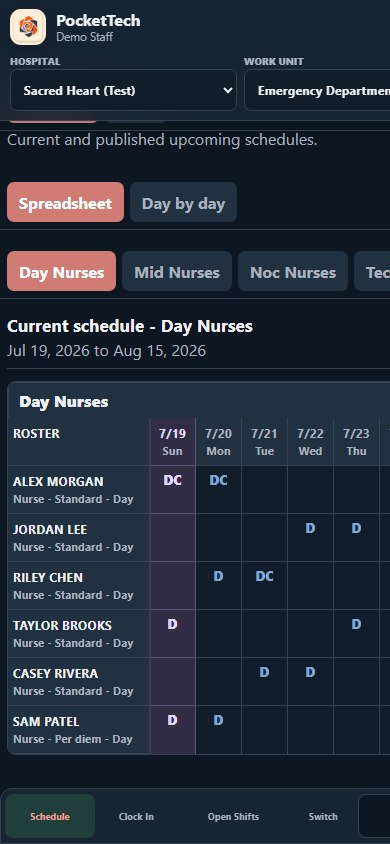
Publish schedules, surface open shifts, and manage trades and split-shift requests without losing the live staffing picture.
Employees can see published shifts, submit preferences, and review schedules from each hospital linked to their private account.
Geofenced clock-in and clock-out confirm that a punch happened at the hospital while keeping location use limited to verification.
From planning to punch-out
Prepare
Managers set coverage and staff submit work, off, and PTO preferences for the upcoming cycle.
Publish
Generate a draft, review coverage, make adjustments, and publish one clear schedule to the unit.
Operate
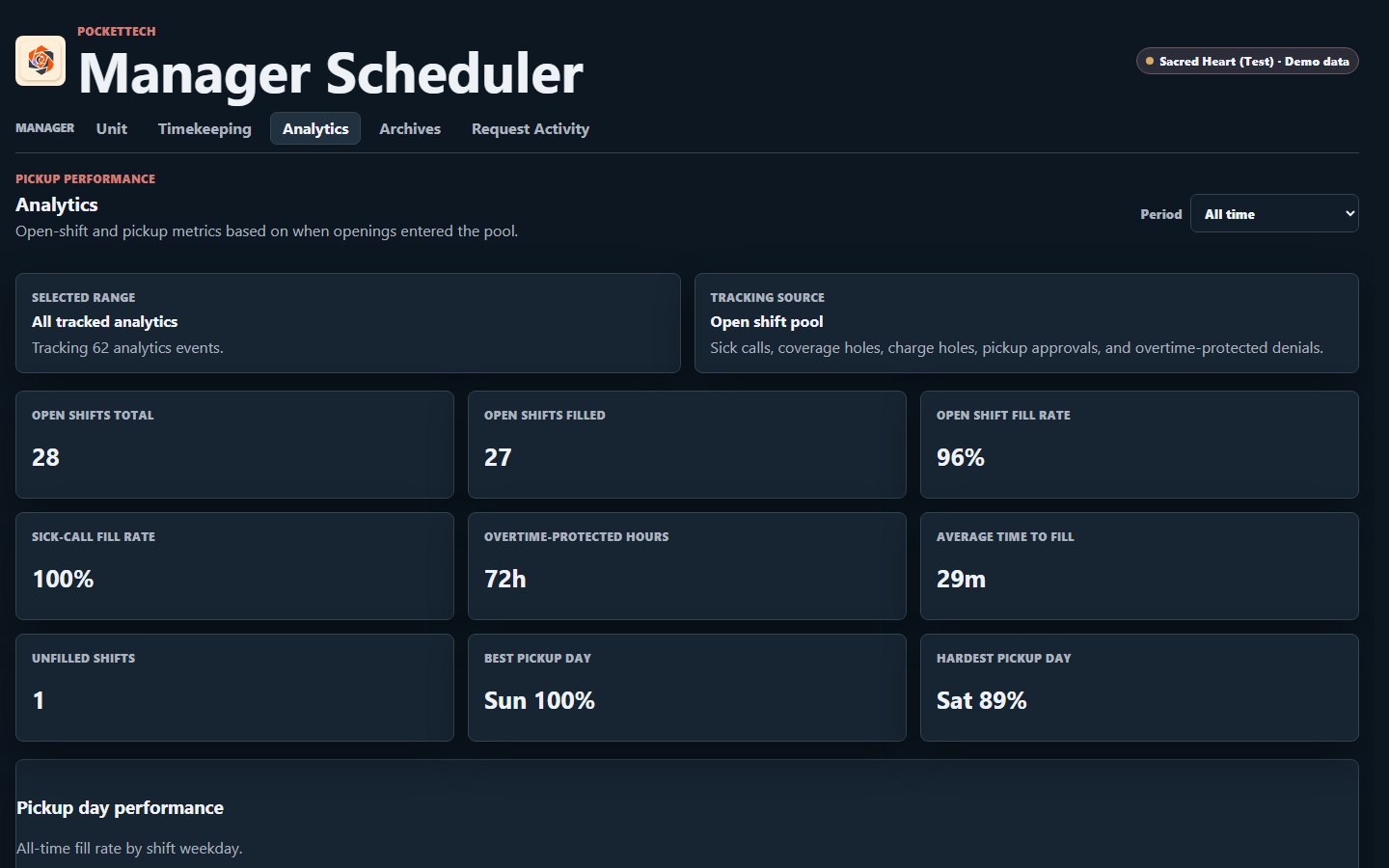
Track open shifts, attendance, schedule requests, worked hours, and operational trends from the same system.
28 openings · 27 filled (96%) · 6/6 sick calls · 29m average
Thoughtful access boundaries
A PocketTech account can connect to more than one hospital while keeping each hospital's roster, manager tools, and schedule data separated.
Manager tools stay behind hospital membership and stronger authentication.
Only the account owner sees the combined view across linked hospitals.
Precise location is used when clocking in or out to verify hospital proximity.
Ready when your team is
Sign in to your PocketTech account, install the desktop experience, or contact us to talk through your hospital's workflow.